Sakura Girl Story1.0.1
Publisher Description
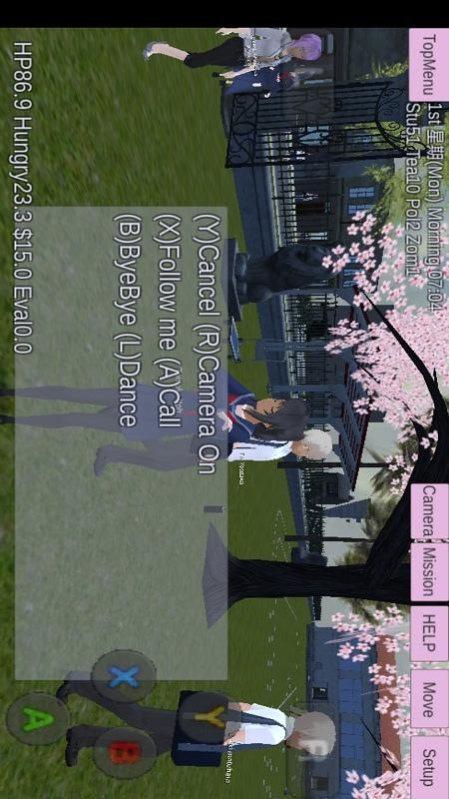


Welcome to the world of life simulator games of cherry blossom high school girls. Create your fashion characters and provide them with beautiful eye color, hairstyle, and dress them from your favorite fashion clothing in high school simulators. Enjoy the life of cherry blossom campus girls through the role played by the game.
In this virtual campus life, you will experience different types of virtual life. You can choose to learn in the classroom or go out with your friends. Driving vehicles in the city, participating in football games, and flying in the city with your superpowers ... or putting on the mission to explore the world. In this anime high school girl life simulator game, you have a lot of things to do.
Sakura anime girl game features:
-Caping in anime high school simulator game.
-When basketball games at high school sports events
-Con the red light and green light festival in the anime school simulator
-Pushing the Naughty Anime School Girl Simulator
-The realistic school living environment, give you 3D feelings
-Sunning anime high school event
About Sakura Girl Story
The company that develops Sakura Girl Story is Haikou Tongle Technology Co., Ltd.. The latest version released by its developer is 1.0.1.
To install Sakura Girl Story on your Huawei device, just click the green Continue To App button above to start the installation process. The app is listed on our website since 2023-06-09 and was downloaded 7 times. We have already checked if the download link is safe, however for your own protection we recommend that you scan the downloaded app with your antivirus. Your antivirus may detect the Sakura Girl Story as malware as malware if the download link to C108450761 is broken.
How to install Sakura Girl Story on your Huawei device:
- Click on the Continue To App button on our website. This will redirect you to Huawei Store.
- Once the Sakura Girl Story is shown in the Huawei Store listing of your Huawei device, you can start its download and installation. Tap on the Install button located below the search bar and to the right of the app icon.
- A pop-up window with the permissions required by Sakura Girl Story will be shown. Click on Accept to continue the process.
- Sakura Girl Story will be downloaded onto your device, displaying a progress. Once the download completes, the installation will start and you'll get a notification after the installation is finished.
